All work

(02/05)Mobile app for dentists

​

One place to manage a dentist’s day, where every screen answers a real need.

A.Y.
2026
Context
Progettazione di interfacce grafiche (Graphical Interface Design)
Methods
Double Diamond, stakeholder analysis (Eason), contextual inquiry, personas and pain points, devil's and angel's advocate
Tools
Figma, Material Design 3
Grade
30/30

In short

Challenge
Appointments, records split between paper and digital, X-rays and team messages are scattered across different tools: the dentist loses time and information.
Solution
A mobile app for dentists designed on the Material Design 3 design system: ten screens that bring the clinical day together, each built on a need that came out of research.
Delivered
A high-fidelity, clickable prototype in Figma, with every screen traced back to the needs it solves.

01 · The problem

A dentist’s day lives in disconnected tools

During my internship at a dental practice I watched the working day up close: appointments, records split between paper and digital, X-rays and team messages are spread across different tools.

The core issue research found: scattered information and a workflow that overloads the dentist.

Four ways of working, seven needs

Four personas, the same role and opposite habits. Every screen answers at least one of their problems.

  • LucaThe precise one
    • 01 Too much information to keep in mind
    • 03 Misaligned internal communication
    • 04 Important data that never gets written down
    • 05 Different working styles to reconcile
    • 07 Stress and tension in the team
  • MarcoThe scatterbrain
    • 02 Files, materials and notes that get lost
    • 03 Misaligned internal communication
    • 06 Delays in clinical procedures
    • 07 Stress and tension in the team
  • SaraThe overloaded one
    • 01 Too much information to keep in mind
    • 03 Misaligned internal communication
    • 04 Important data that never gets written down
    • 05 Different working styles to reconcile
    • 07 Stress and tension in the team
  • ElenaThe balanced one
    • 03 Misaligned internal communication
    • 04 Important data that never gets written down
    • 07 Stress and tension in the team
PersonaLucaThe precise oneMarcoThe scatterbrainSaraThe overloaded oneElenaThe balanced one
01 Too much information to keep in mind✓–✓–
02 Files, materials and notes that get lost–✓––
03 Misaligned internal communication✓✓✓✓
04 Important data that never gets written down✓–✓✓
05 Different working styles to reconcile✓–✓–
06 Delays in clinical procedures–✓––
07 Stress and tension in the team✓✓✓✓
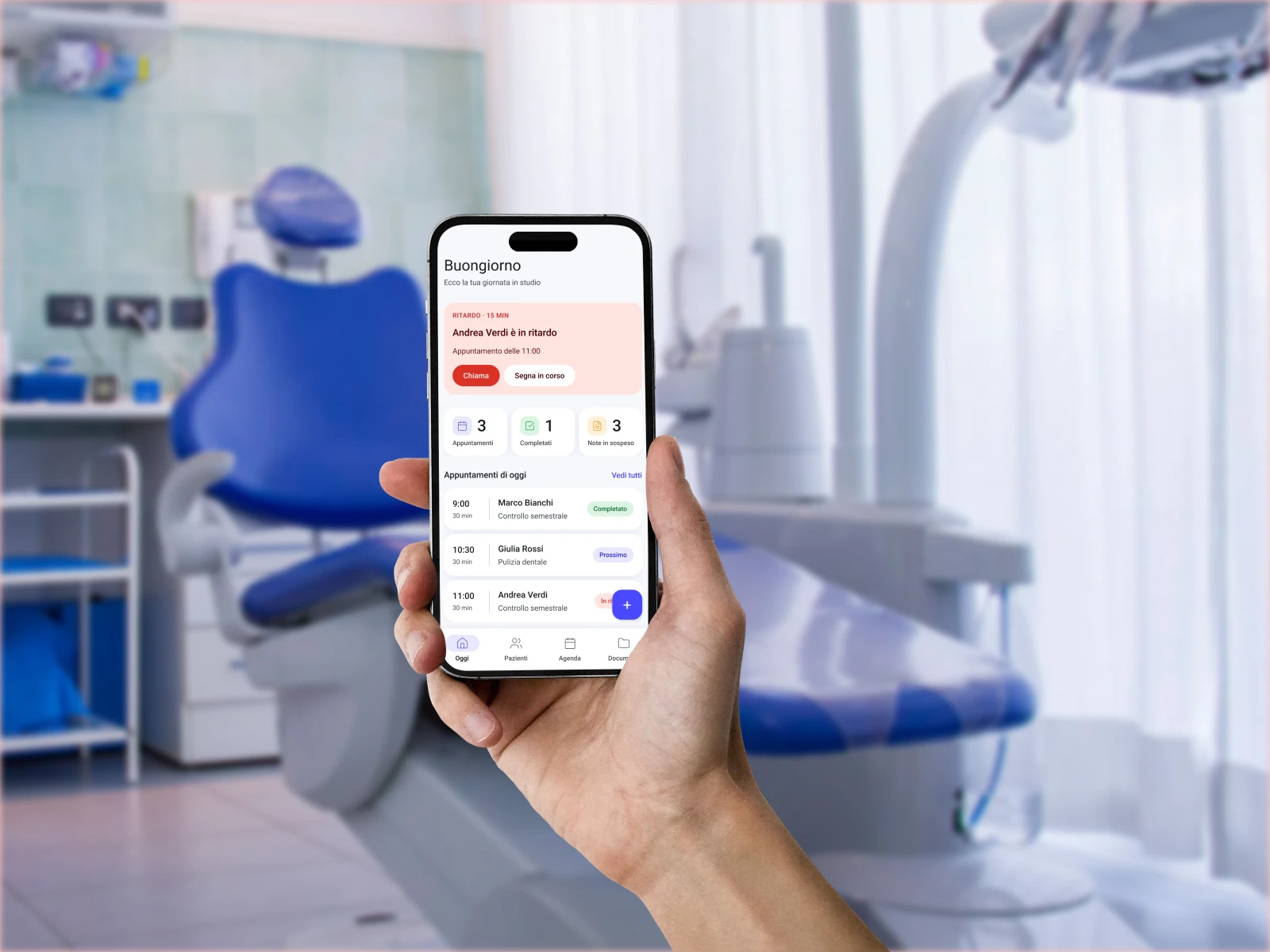
A dentist in the practice with DentPlanner open on a phone

02 · The research

Who uses it, and how they work

The process

Double Diamond, from problem to solution

Two rounds of diverging and converging: first on the problem, then on the solution.

01 / 04 · Double Diamond

Discover

Stakeholders split into three levels with Eason’s model, then the work observed in the practice (contextual inquiry).

  1. PrimaryGeneral and specialist dentists

    They use the app every day, between one visit and the next. Every screen is designed for them.

  2. SecondaryPatients and chairside assistants

    They don’t use it, but they feel it: shorter waits, clear instructions, an aligned team.

  3. TertiaryThe practice owner

    Decides whether to adopt it: looks at how the practice is organised and the time saved.

02 / 04 · Double Diamond

Define

The experience map follows the dentist from planning to after the visit: the goal and the mood of each phase.

  1. PlanningKeep appointments and availability under controlConfusion → clarity
  2. Before the visitAlign the team on procedures and patientsAnxiety → team in sync
  3. During the visitTreat efficiently, without delays or lost filesStress → efficiency
  4. After the visitComplete the records and the follow-upUncertainty → control

03 · The choices

Three ideas, two dropped

03 / 04 · Double Diamond

Develop

Every idea tested with the devil’s & angel’s advocate; the ones that survived became wireframes.

  1. Idea 01 Dropped

    Dictating notes by voice during the visit

    Devil’s advocate

    With gloves on and a patient in the chair, the voice records what it shouldn’t, and the practice is noisy.

    Angel’s advocate

    No note lost while the hands are busy.

    Instead

    Quick notes added in one tap, between one visit and the next.

  2. Idea 02 Dropped

    An internal team chat

    Devil’s advocate

    One more channel to check: it adds noise instead of aligning people.

    Angel’s advocate

    Instant communication between colleagues.

    Instead

    Shared checklists and protocols: alignment comes from the procedure, not from messages.

  3. Idea 03 Kept

    Alerts at the top of the dashboard

    Devil’s advocate

    Too many warnings become noise and get ignored.

    Angel’s advocate

    Delays and allergies visible before anything else.

    With a limit

    One highlighted alert at a time, the rest in the notification badge.

Low-fidelity wireframes

  1. 01 Daily dashboard

    Patient running lateSo nothing slips byInformation overloadAppointments · done · open notesInformation at once, nothing forgottenUnrecorded data · DelaysToday’s appointmentsA more organised dayDelaysNavigation barEasier navigation
  2. 02 Patients

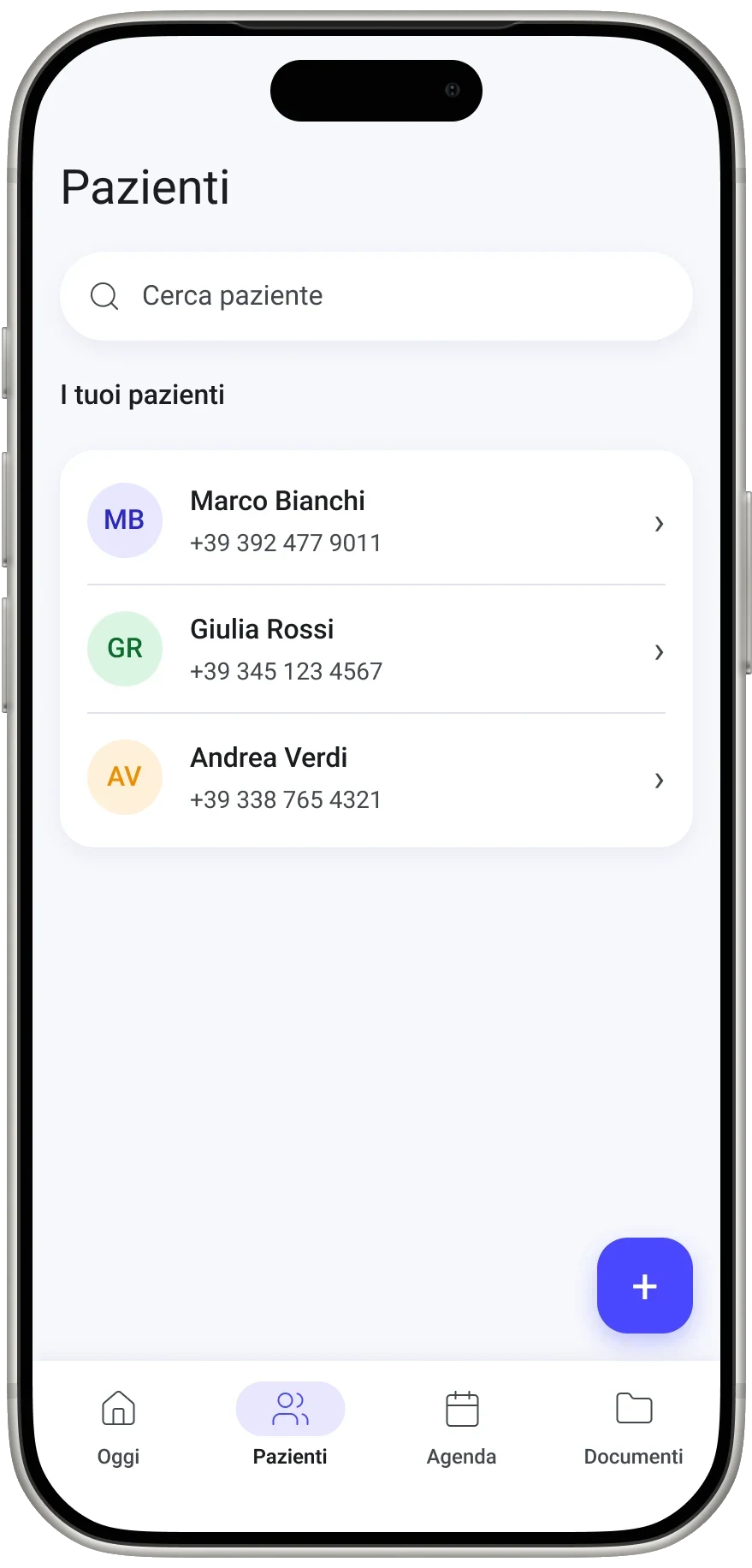
    Search patientQuick patient searchPatient list → one recordData, documents, notes and appointments in one place, so nothing is forgottenNavigation bar
  3. 03 Dentist’s notes

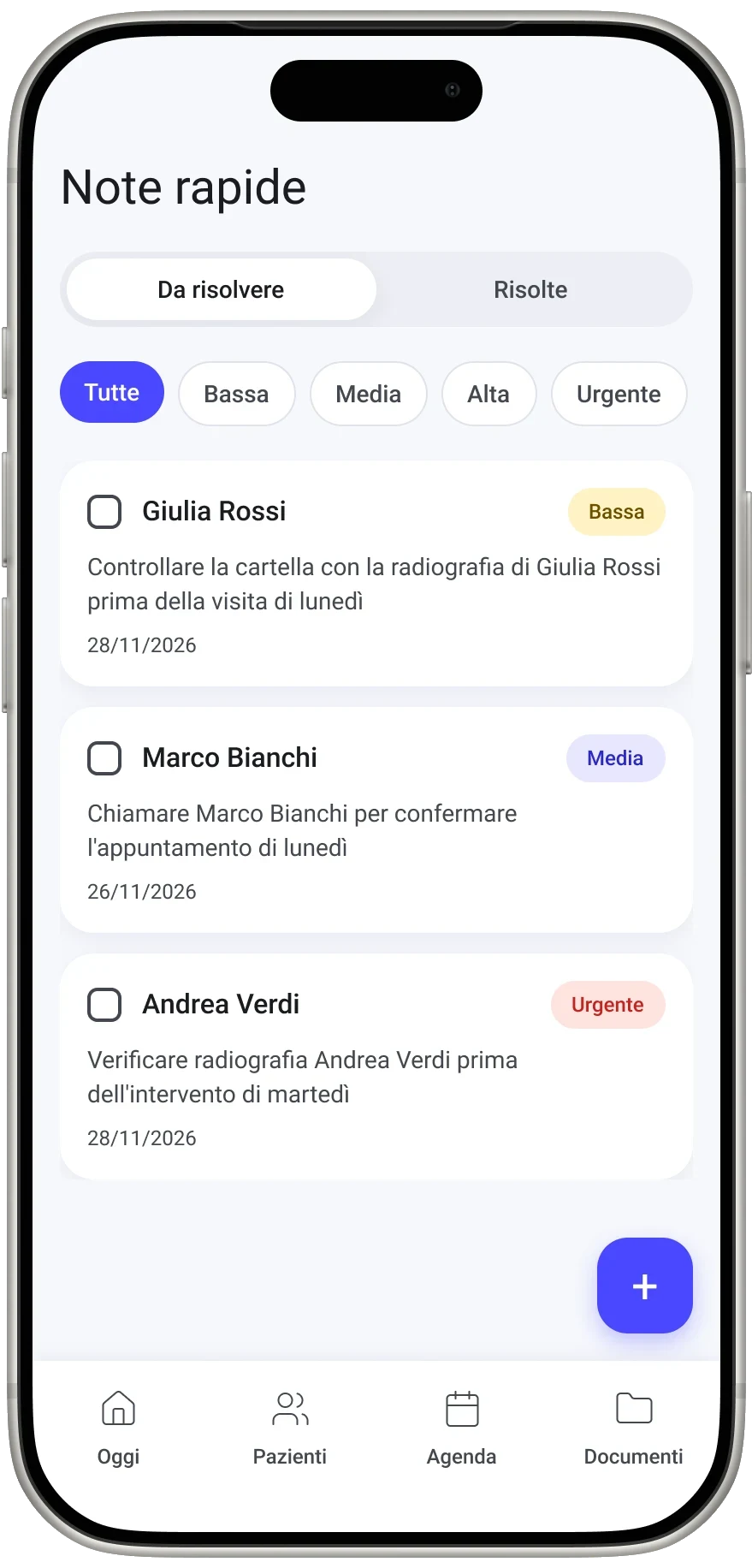
    To do / Done · urgency filtersNote search and filtersNotes to tick offNotes in order, so nothing jotted down gets lost and no delays build up; ticked off in one tapLost filesAdd noteA note goes in at onceUnrecorded dataNavigation bar
  4. 04 Procedure checklists

    Procedure progressSteps in order, to tick offEvery procedure step by step, the same for everyone: nothing forgotten that slows treatments and appointmentsMisaligned team · DelaysComplete procedureNavigation bar
  5. 05 Patient instructions

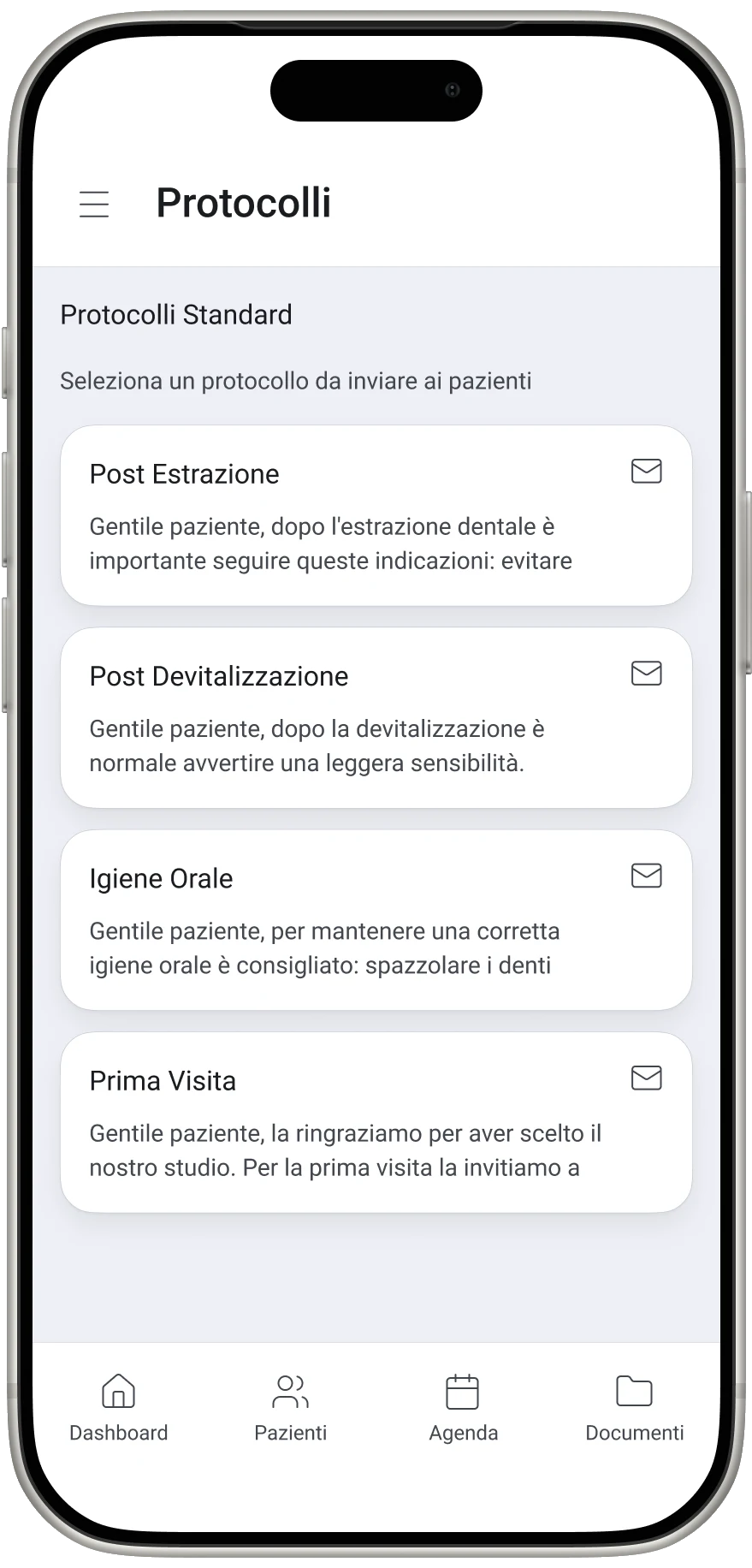
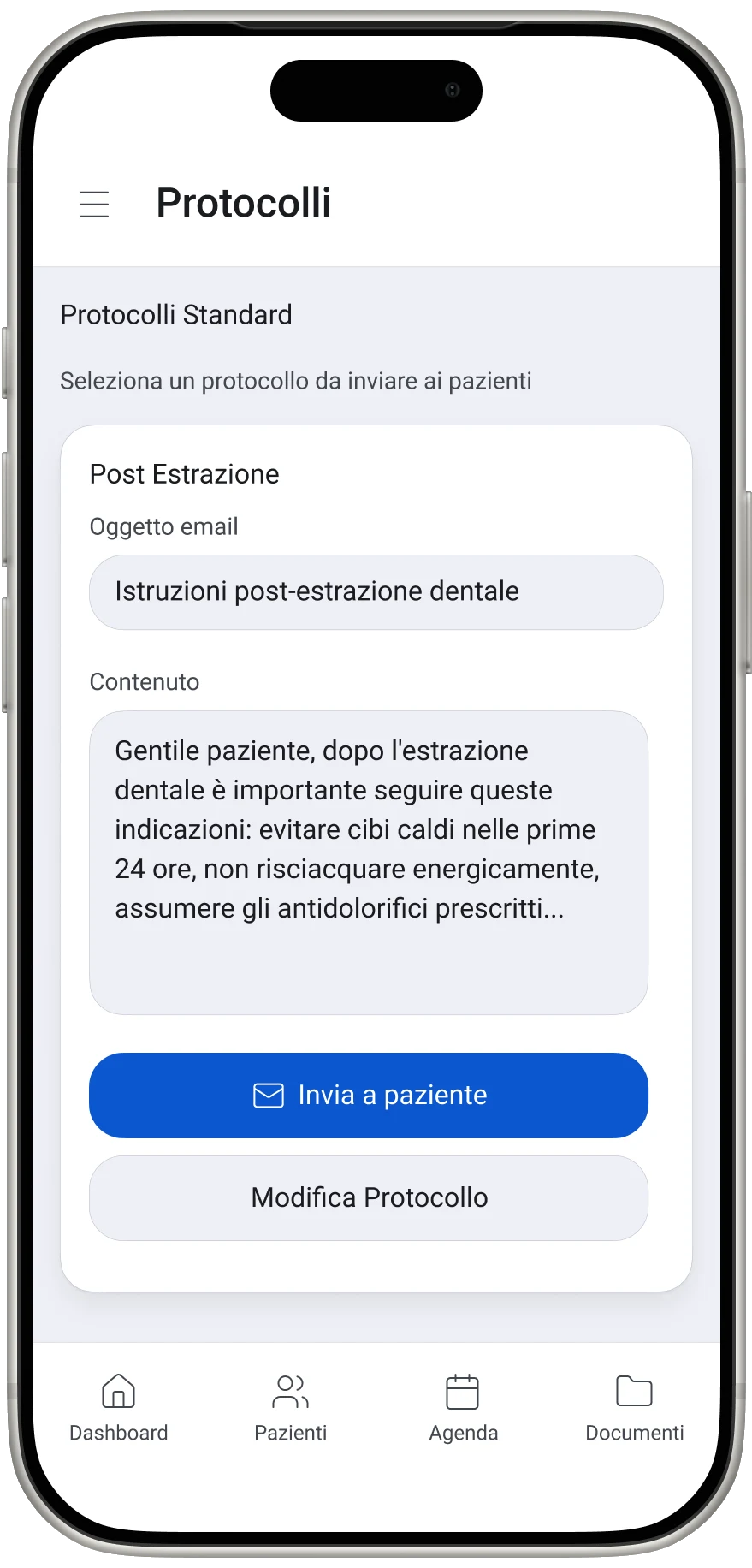
    Standard protocolsAfter extraction · after root canal · oral hygiene · first visitThe same for everyone, no mismatched instructions from different channelsMisaligned teamText already written → Send to patientStandard instructions already written: the dentist never leaves anything outInformation overloadNavigation bar
  6. 06 Document archive

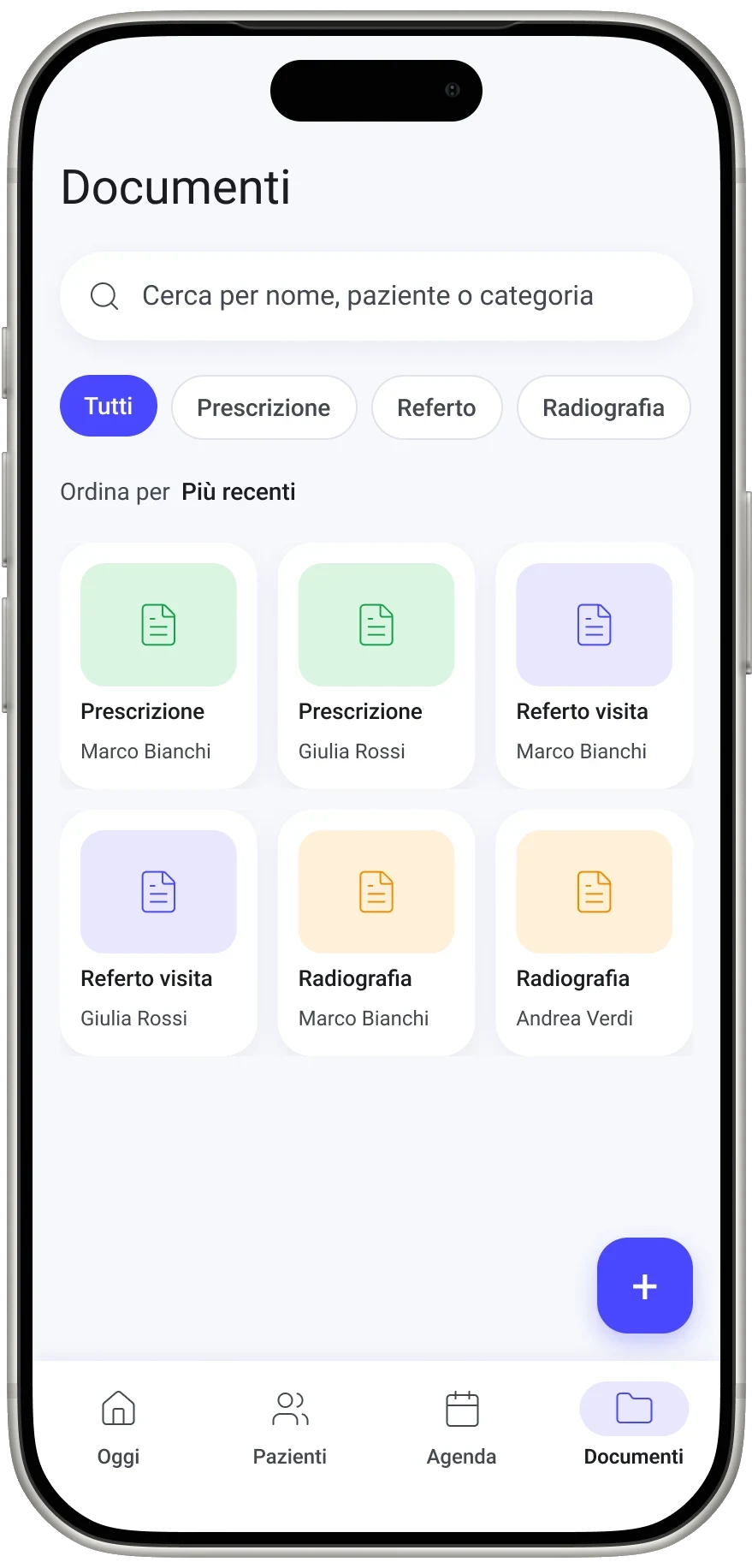
    Search by name, patient or categorySearch by patientType filtersType filtersDocuments by patient and typePatient files and documents in one archive, nothing mislaidNavigation bar

04 · The project

Ten screens, one day

04 / 04 · Double Diamond

Deliver

Wireframes taken to high fidelity on the Material Design 3 design system, with one primary action per screen.

01/04 Dashboard

The day in a single view

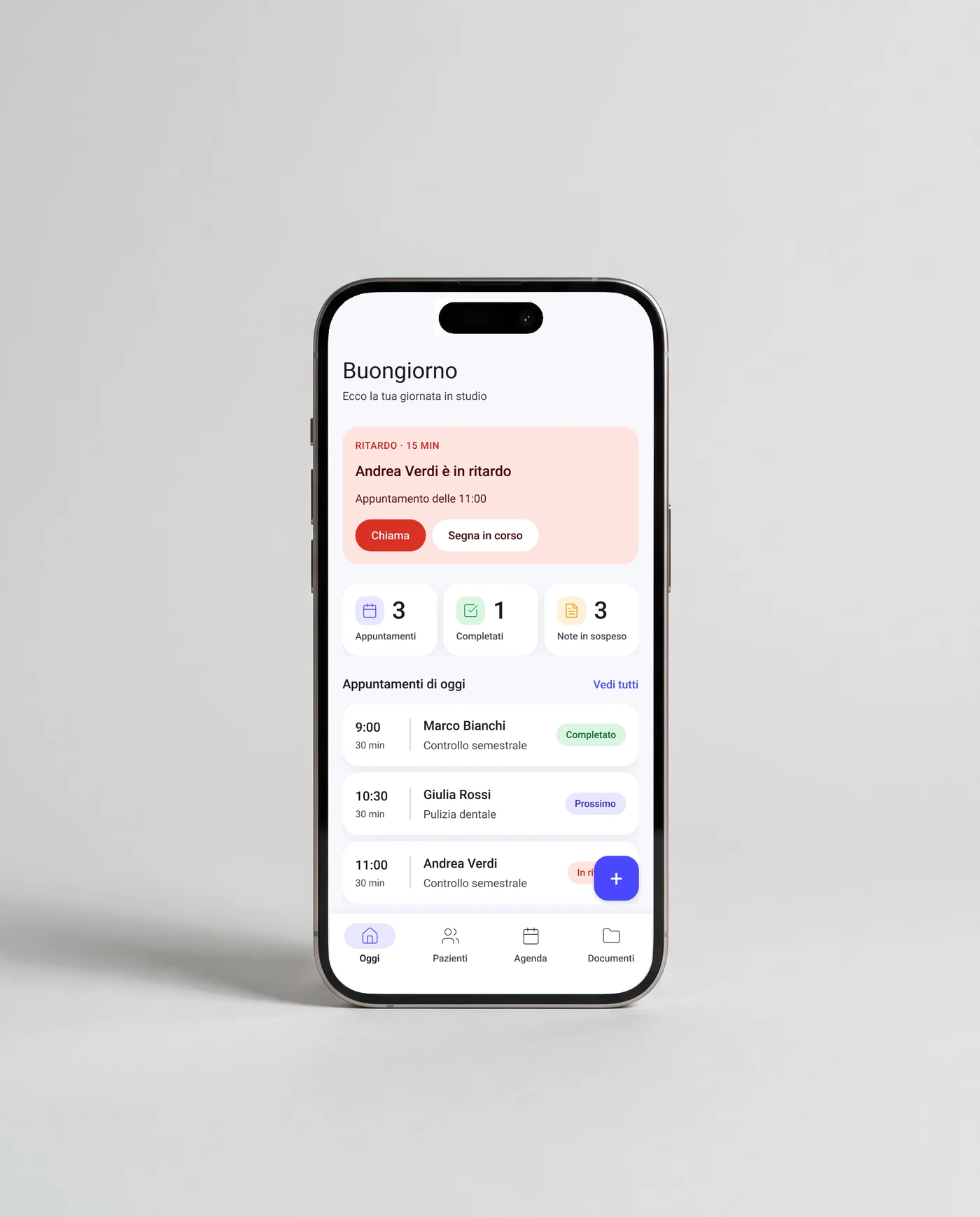
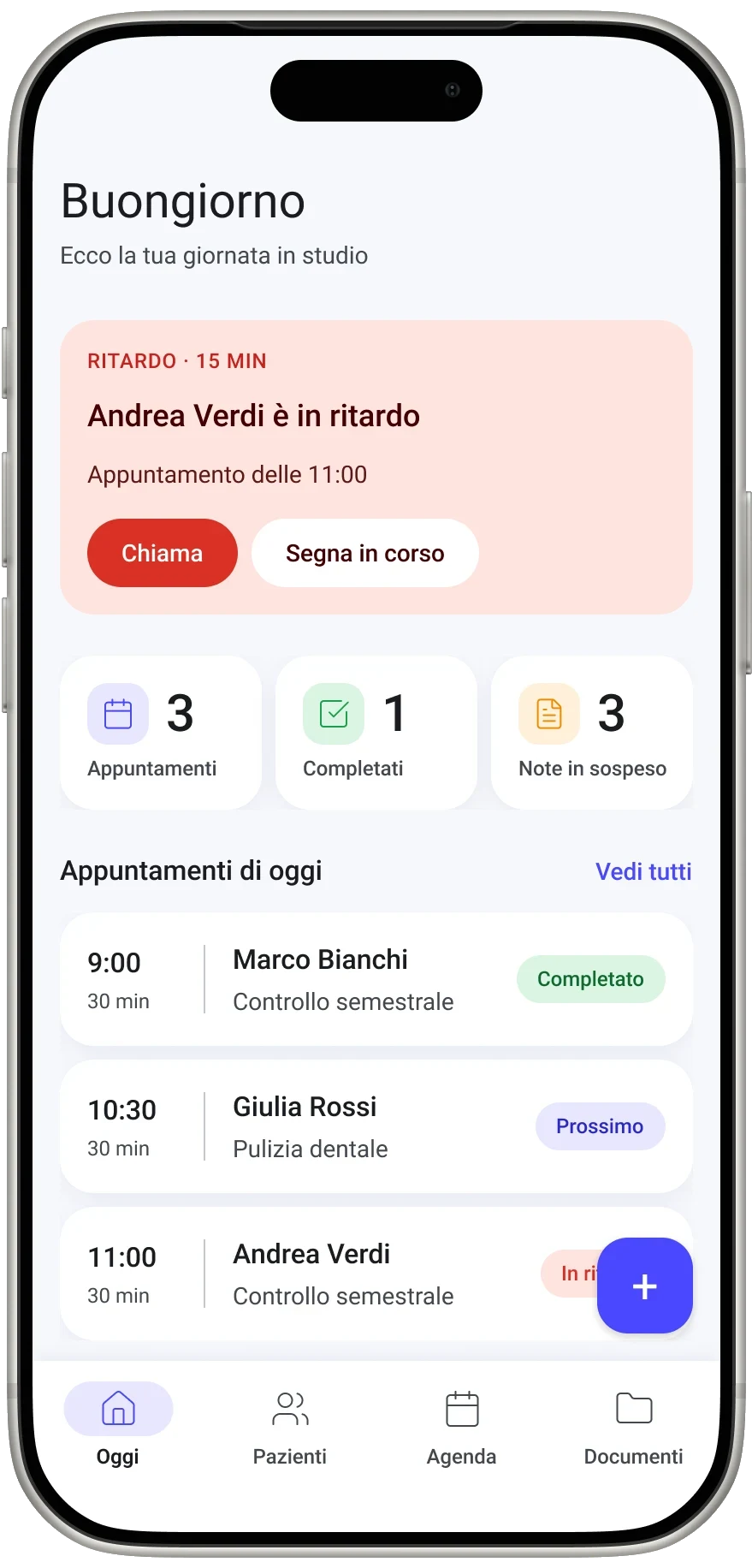
Alerts get the top spot: a late patient stands out before anything else, with the two actions needed right away. Below, the day’s summary and the appointments in time order.

  1. The alert at the top of the hierarchy
  2. The summary of the day
  3. The status of every appointment

AnswersInformation overload · Unrecorded data · Delays
02/04 Agenda

Time at a glance

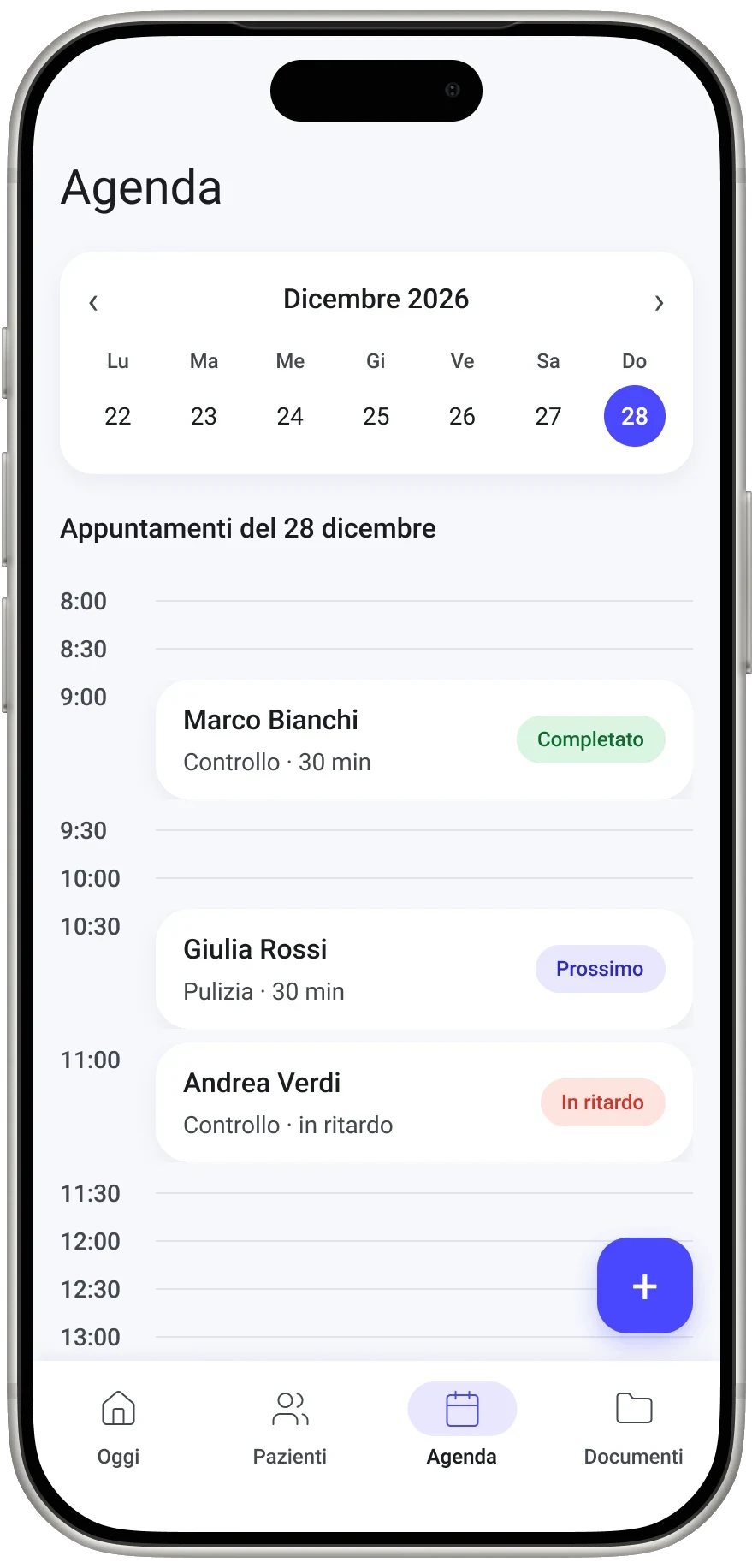
The week stays at the top, the day runs as a timeline and every appointment shows its status. The + button is the only strong action.

  1. The week always in view
  2. Status in colour and label
  3. One primary action

AnswersInformation overload · Unrecorded data

03/04 Patients, notes and archive

Every piece of information in one place

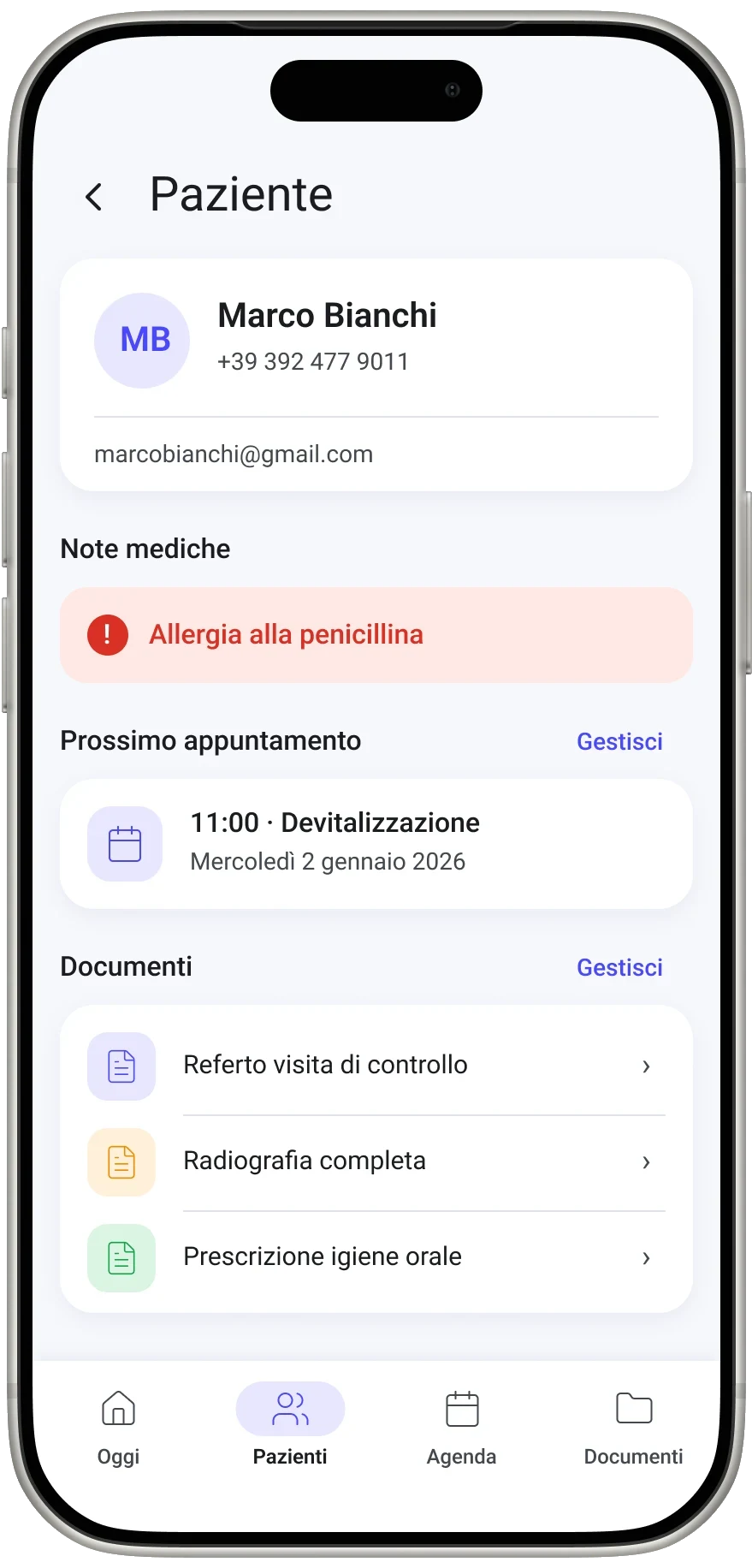
The record brings together contacts, allergies, the next appointment and documents. Notes filter by urgency; the archive by type, in one grid.

AnswersLost files · Unrecorded data

04/04 Procedure checklists

The same protocol for the whole practice

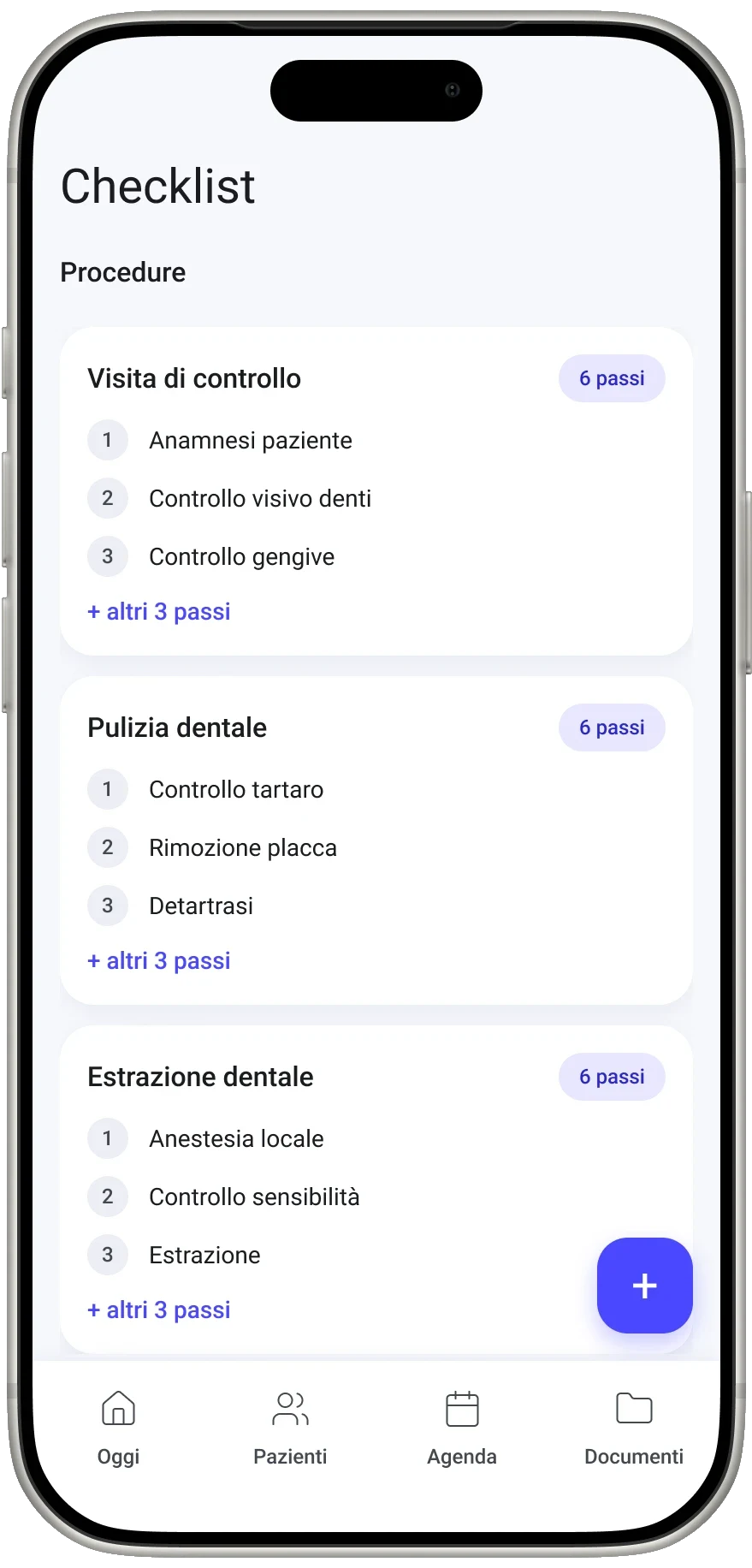
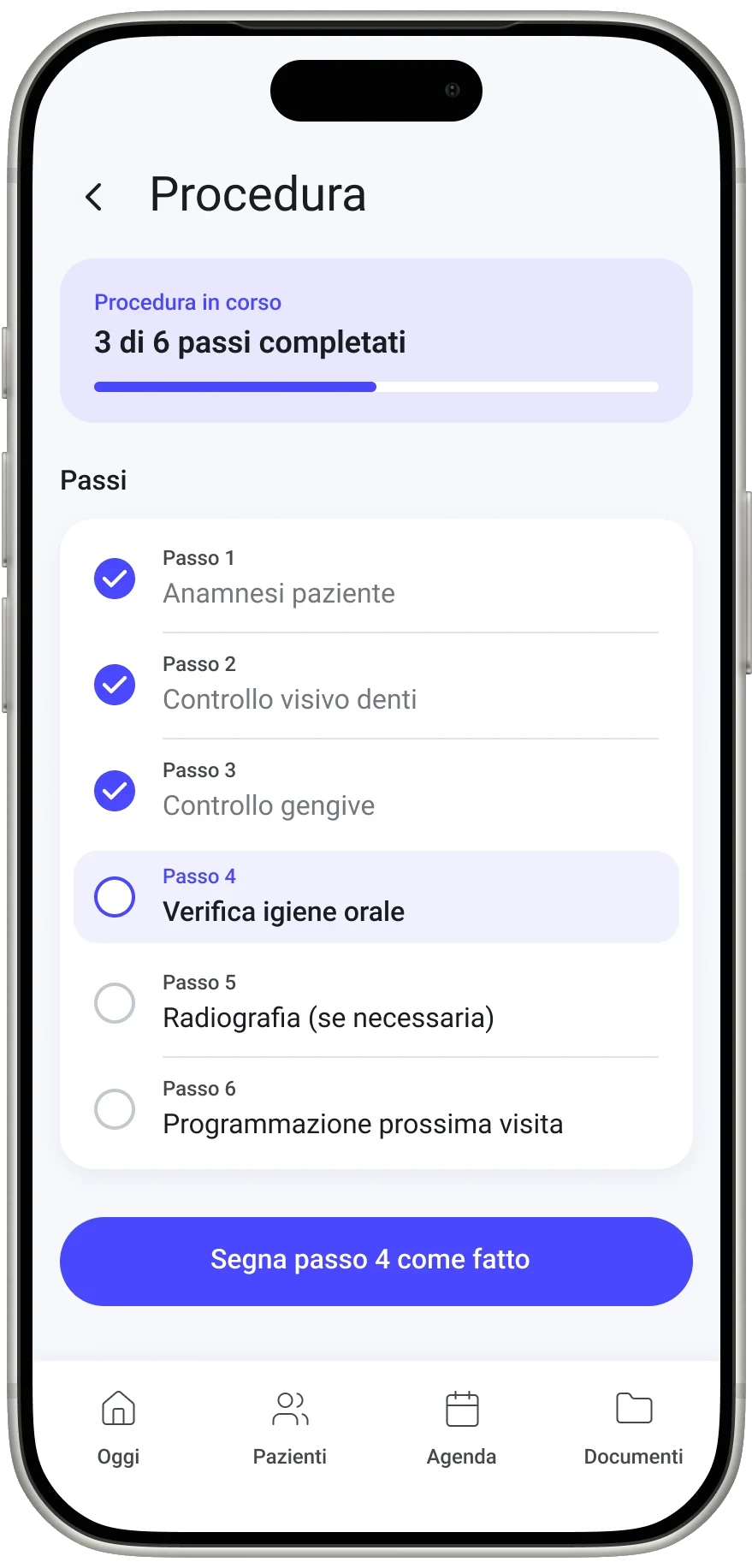
Every procedure is a sequence of steps, the same for every dentist. It is ticked step by step with progress in view: no stage skipped.

  1. How many steps each procedure has
  2. The progress of the open procedure
  3. The steps to tick, in order

AnswersMisaligned team · Different styles · Delays

05 · The outcome

An app ready to be put to the test

What I delivered

A clickable Figma prototype that follows the dentist through the whole day: dashboard, agenda, patients, notes, checklists and archive.

What I learned

Don’t draw until the problem is clear, and tie every choice to a real need: then every screen defends itself.

Next step

A usability test with the practice’s dentists on two tasks, finding a document and completing a procedure, measuring time and errors.

Next project 03Your​Next​ChoiceUniversity orientation app · 2024

(03) Contact

And you, what do you need?

UX/UI internships and a master’s

I am looking for internships and collaborations as a UX/UI designer, and a master’s programme starting in autumn 2027. Get in touch.